novaengine Documentation
Guides for installing, configuring and extending novaengine’s Salesforce managed packages.
Get started with Geo Regions Developer Guide
Products
Geo Regions
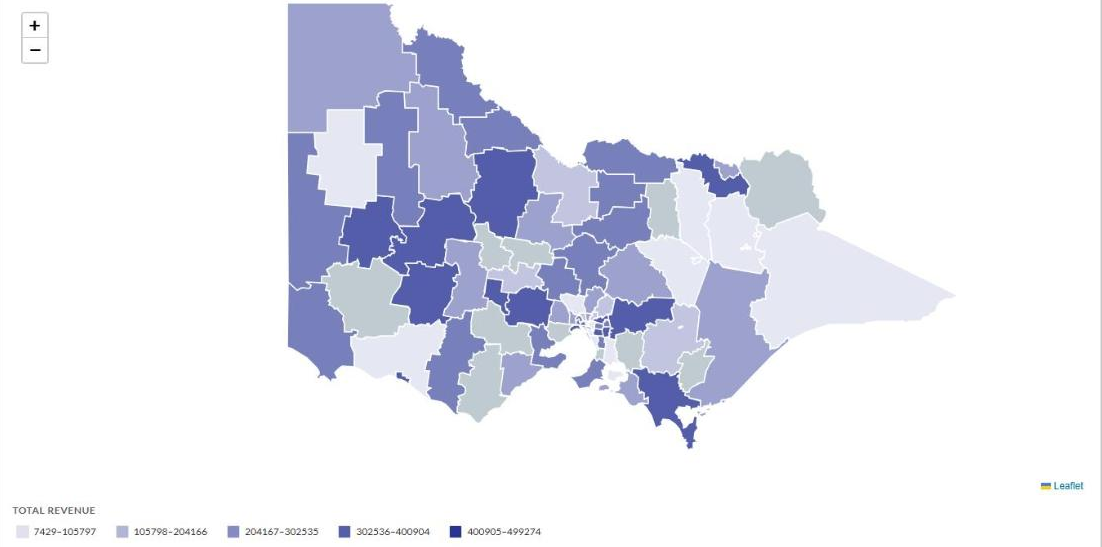
Interactive choropleth maps for Lightning pages. Shade geographic regions by your Salesforce data to visualise metrics such as Account counts or Revenue across states and local government areas.
- Overview: install, permission set and troubleshooting
- Developer Guide: component API, configuration, events and examples
- Australia extension: local government area maps for every state and territory
Latest release: 0.2.0 (October 2026). See the install links.
Where to start
- Install the packages. Install Geo Regions, then the Australia extension if you need Australian maps. See the install links.
- Assign the permission set. Give the Geo Regions User permission set to everyone who will see the map. See Assign the permission set.
- Build a wrapper component. A developer wraps the Geo Map component in a custom LWC that queries your data and shades the map. Follow the Developer Guide.
Stuck? See Troubleshooting.
Support
Questions or issues? Email contact@novaengine.com.au.